Your bags, sorted out.
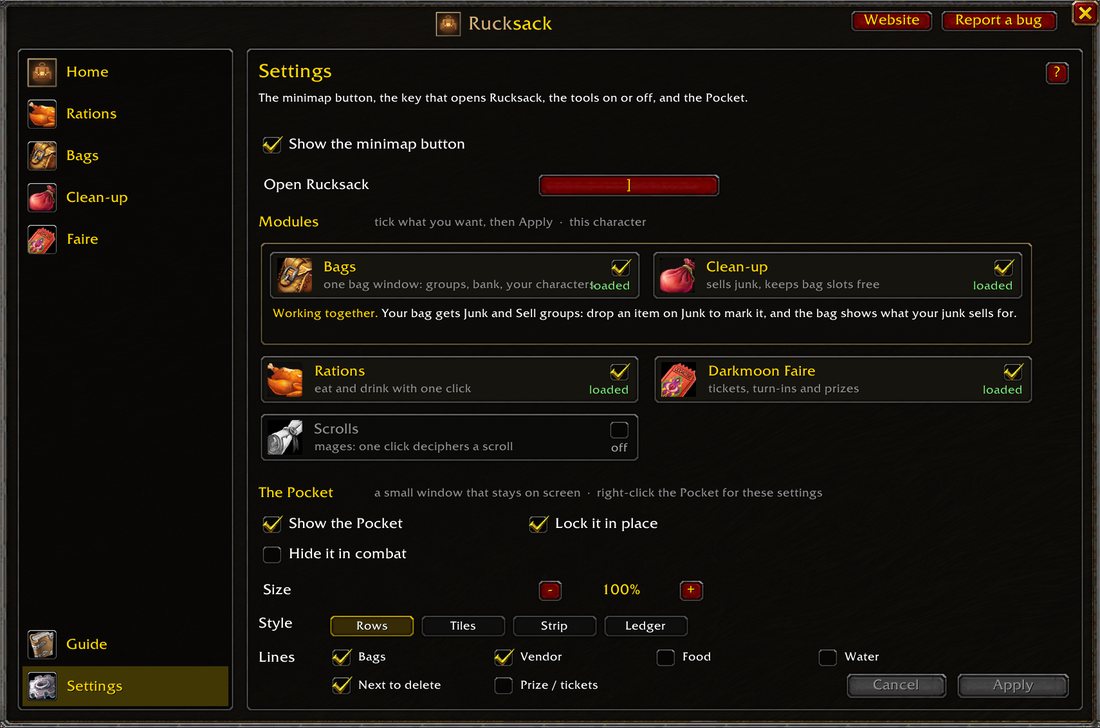
One bag window, food and water with one click, junk sold for you, and vendors that top you up. Tick the parts you want; the rest is never loaded.
- 5modules, each on or off
- 1bag window
- /ruckopens it
Everything in one bag
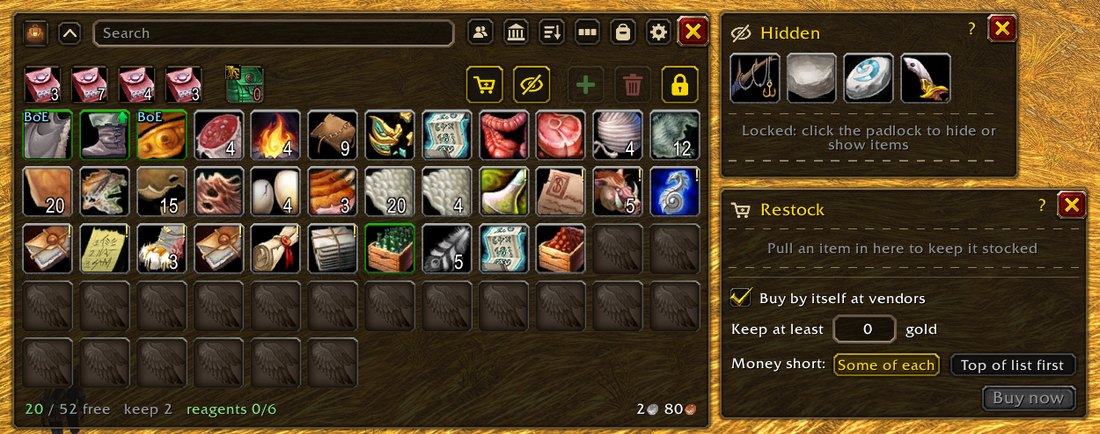
B opens one window instead of five. Your items sit in groups, and the things you never look at stay out of the way.
Bags, Hidden and Restock
Drop an item on a group and all its stacks go there from then on. Make your own groups, or switch to One bag and place things freely.
- Hidden: your Hearthstone and tools stop taking up room on screen.
- Restock: say how much water or how many arrows to carry. A vendor that sells it tops you up, and it never spends below the gold you keep.
- Bank and other characters: one click away, and tooltips say where else you have an item.
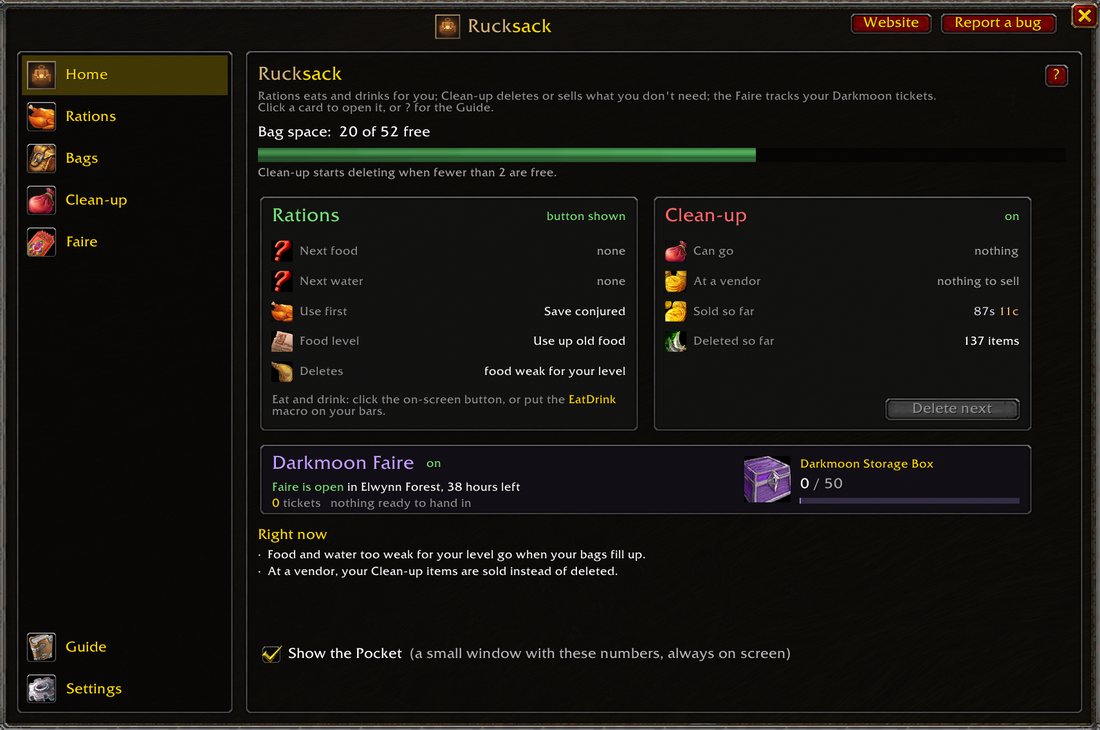
Home shows what matters
Bag space, what you eat and drink next, what a vendor would pay for your junk, and the Darkmoon prize you are saving for.
- Rations: one click eats the right food and drinks the right water.
- Clean-up: junk is sold at the next vendor. If your bags fill up first, the cheapest goes; quest items stay.
- Darkmoon Faire: tickets, where to get each turn-in, and a pin on your map.
Only load what you use
Every part is a card you tick or untick. A part that is off is not loaded at all: no memory, no work.
- Bags and Clean-up each work alone. With both on, your junk shows in your bag.
- Each character has its own choice.
- Scrolls turns itself on for mages only.
The small things
Details that save a click many times a day.
Reagents find their bag
A reagent in an ordinary bag moves into your reagent bag when there is room.
Sell group
Drop an item on Sell and it is sold at every vendor, never thrown away.
Your bank, in Rucksack
At a banker your bank opens in the same style, with its bag slots on top. Click a locked slot to buy it.
The Pocket
A small window that stays on screen: bag space, your next meal, what a vendor would pay.
Tidy or Free
In One bag, let Rucksack sort for you, or put every item exactly where you want it.
Works with others
Prefer another bag addon? Untick Bags and keep Clean-up and Rations.
Start in a minute
No setup needed before it helps.
- Install itGet Rucksack from CurseForge, or unpack the zip into your AddOns folder.
- Type /ruckOpen Settings and tick the modules you want, then press Apply.
- PlayPress B for your bag. Rucksack eats, sells and restocks as you go.
Found a bug, or have an idea?
Send it in a minute, no account needed. Only the developer reads it, and you get a private link to see the answer. In the game, Report a bug gives you a ready-made report to paste.